Account & teams
Audit log
Last updated: November 24, 2026
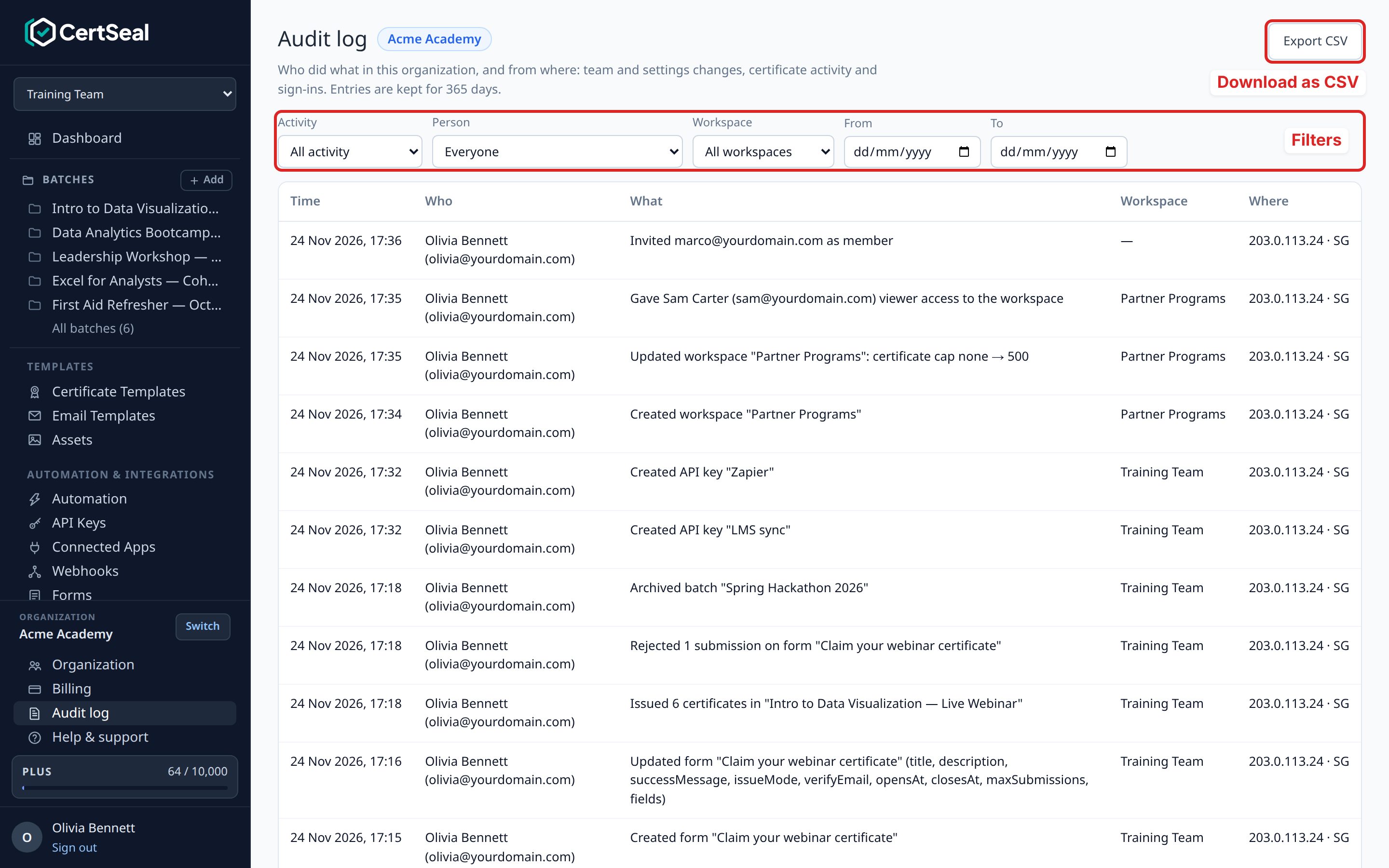
The audit log records who did what in your organization, and from where: team and settings changes, certificate activity and sign-ins.
The audit log is available on the Plus and Professional plans. Organization owners and admins can open it from Audit log in the Organization section of the left sidebar.
What’s recorded
- Team and settings: invites, people joining, leaving or being removed, role changes, ownership transfers, workspace changes such as a new certificate cap or member access, API keys, webhooks, email sending settings, and Zoom or AI app connections.
- Certificates: batches, designs and email templates created or changed, recipients imported, updated or deleted, certificates issued, emails sent, certificates revoked and reinstated, and built-in form activity. A bulk action, such as sending to 200 recipients, is one entry.
- Sign-ins to the organization.
Each entry shows the person (or the source, such as a built-in form or an API key), what happened, the workspace, and the IP address and country it came from.
Entries are kept for 365 days.
Find an entry
Use the filters at the top to narrow the list:
- Activity: all activity, team and settings, certificates, or sign-ins.
- Person: one member of the organization.
- Workspace: one workspace.
- From and To: a date range.
Clear filters shows everything again.
Export
Click Export CSV to download the entries that match your filters as a spreadsheet, up to 20,000 rows at a time. Narrow the date range to export more.
Support
Questions about the audit log? Email support@certseal.com and a real person will reply, typically within 1 business day (Monday–Friday, 9:00 AM–6:00 PM SGT). See the support guide for all contact options.