Getting started
Manage email templates
Last updated: November 3, 2026
An email template is the message that carries each certificate. Compose it once with dynamic fields, preview it with sample data, and attach it to any batch so every recipient gets a personalized email.
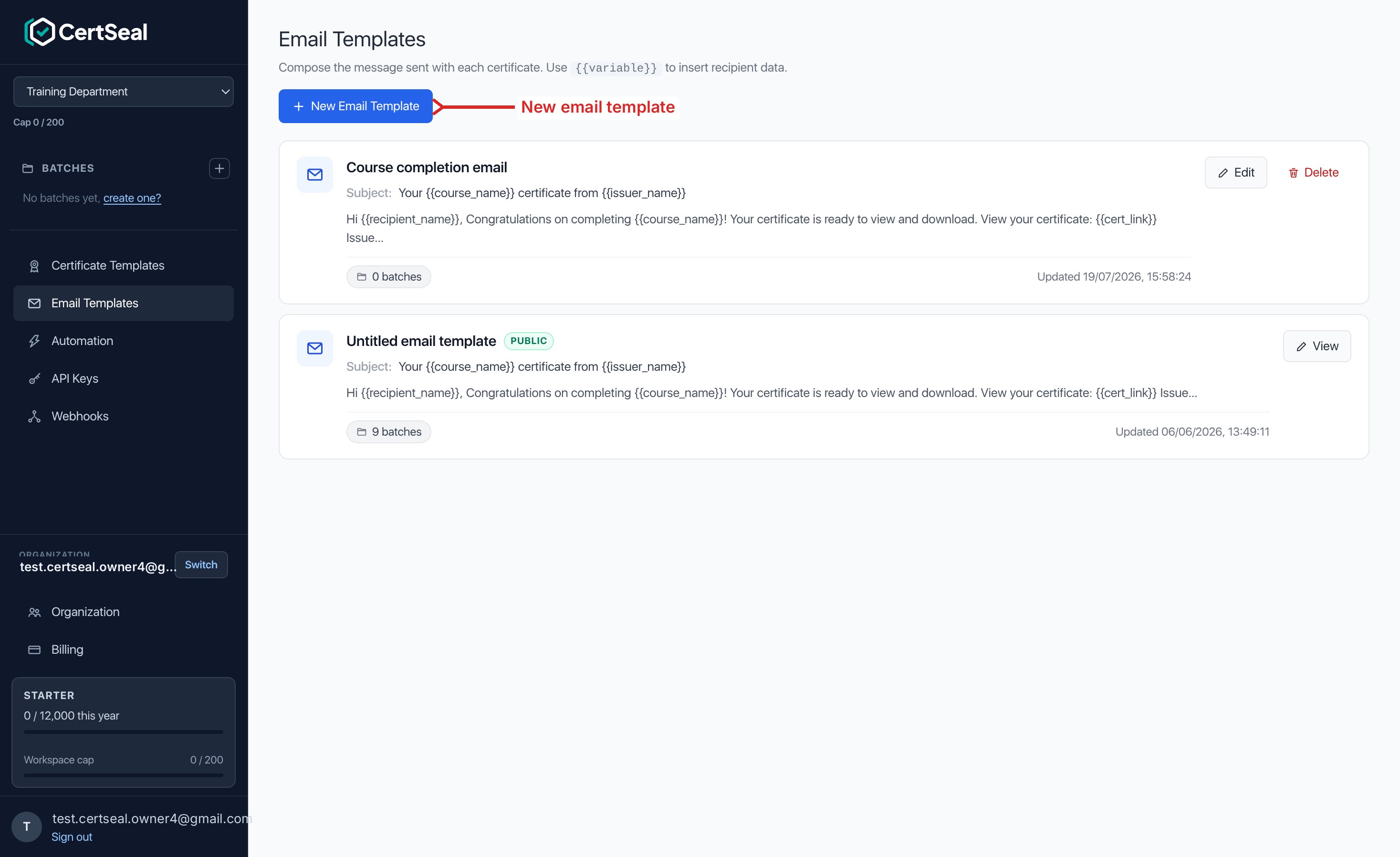
Open Email Templates in the left sidebar to see your templates. CertSeal includes a ready-made public template you can view for reference, and you can create your own.
Create a template
Click New Email Template to create one and open the editor. It starts with a sensible default subject and body that you can keep or rewrite.
Compose subject and body
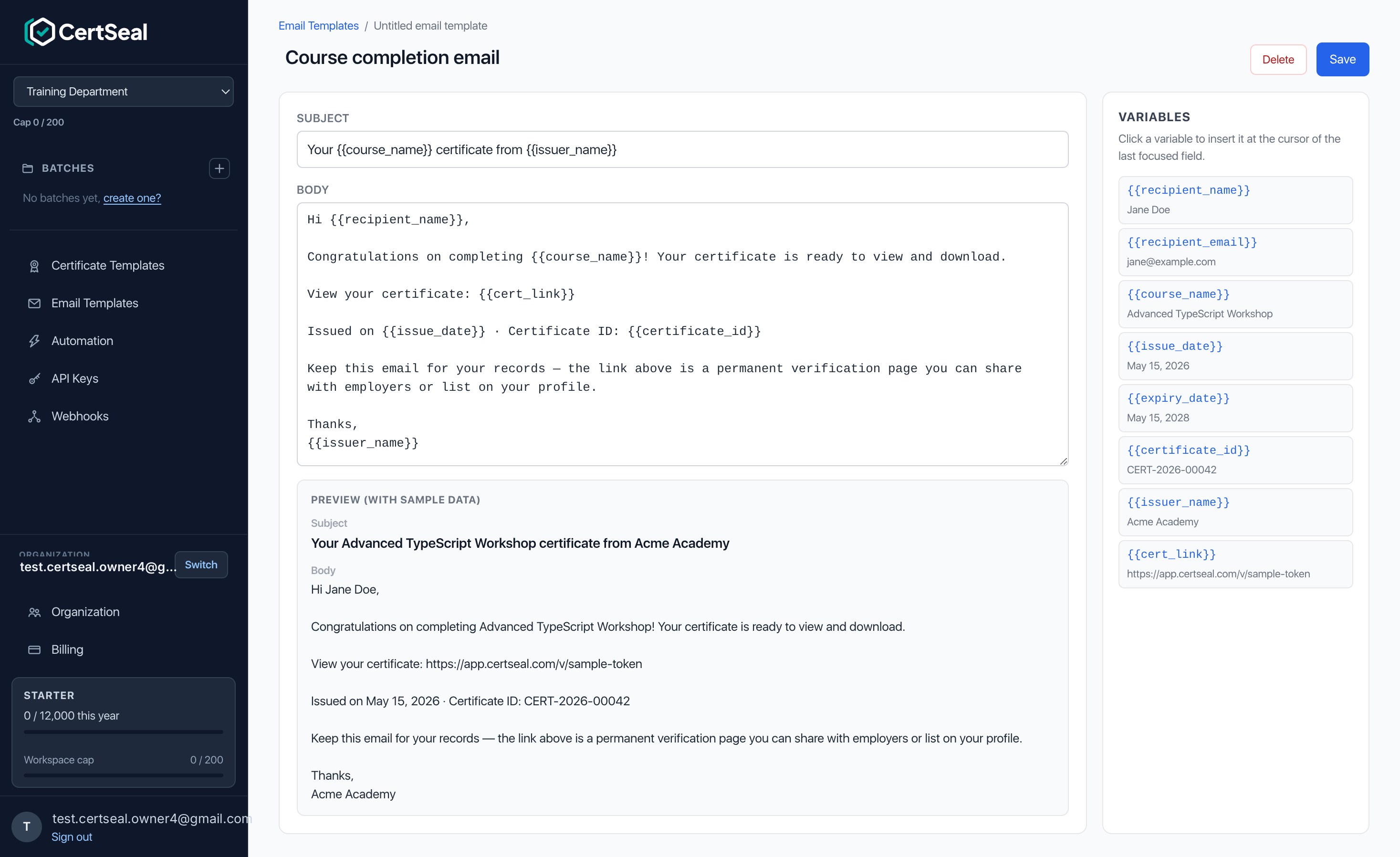
The editor gives you a Subject field, a Body field, a Variables panel, and a live preview with sample data so you can see exactly what recipients will get.
Tips for a good certificate email:
- Personalize it with dynamic fields — type
{{variable}}directly, or click a variable in the sidebar to insert it at your cursor. - Include the certificate link with
{{cert_link}}so recipients can view, download, and share their certificate. - Name the achievement with
{{course_name}}and sign off as{{issuer_name}}. - Check the preview — the sample values show how the final email reads before you send anything.
Give the template a clear name (top of the editor) so you can find it later, then click Save. Use Delete to remove a template you no longer need.
Available variables
The same recipient variables you use on certificates are available in emails, including {{recipient_name}}, {{recipient_email}}, {{course_name}}, {{issue_date}}, {{expiry_date}}, {{certificate_id}}, {{issuer_name}}, and {{cert_link}}. Any custom columns from your recipient file work here too.
Attach a template to a batch
Email templates are optional but recommended. To use one, select it when you create a batch or from the batch’s Overview tab. When you send certificates, each recipient receives this email with their own details merged in. The list shows how many batches currently use each template.
Who the email comes from
Certificate emails come from CertSeal’s address as “Your organization via CertSeal”, and replies go to your organization’s owner. On the Plus and Professional plans you can send them from your own address, such as certificates@yourdomain.com, and choose where replies go: see Send from your own address.
Every certificate email ends with a short footer saying which organization sent it using CertSeal and how to report an unexpected email. You can’t edit or remove it.
Support
Questions about email templates or delivery? Email support@certseal.com and a real person will reply, typically within 1 business day (Monday–Friday, 9:00 AM–6:00 PM SGT). See the support guide for all contact options.