Digital certificate verification process guide
How the digital certificate verification process works: issuer, integrity, status and recipient checks, signatures, revocation, and offline results.
Mia Carter
Co-founder & CEO, CertSeal
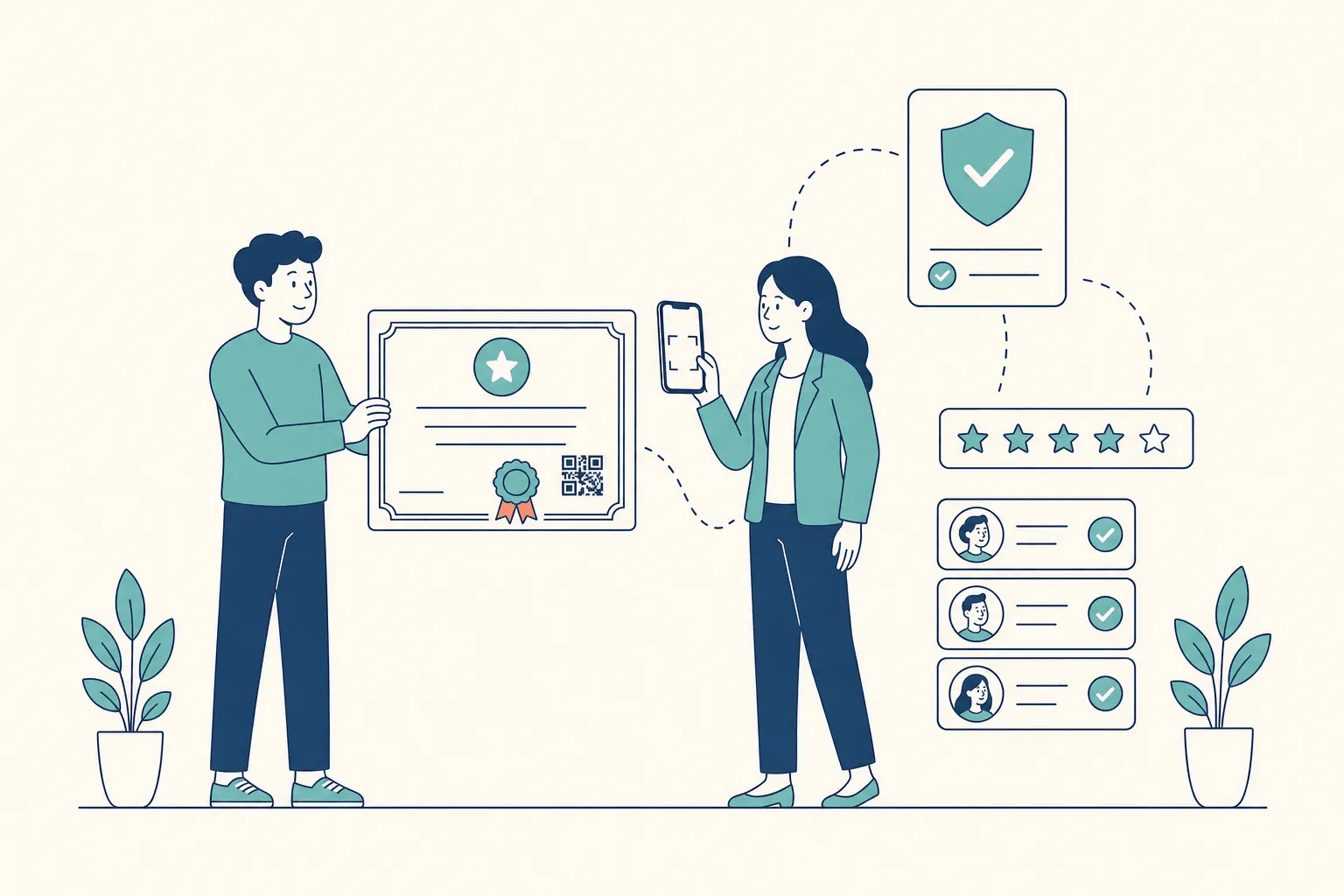
You’re reviewing a candidate’s training certificate before approving a hire. The PDF has a convincing seal and the right name, but neither tells you whether the issuer is real, whether the document has been edited, or whether the certificate is still valid today.
That isn’t a hypothetical risk. In Checkr’s Hiring Hoax 2026 survey of 3,000 U.S. managers involved in hiring, 60% said they had caught candidates falsifying work history, credentials, or references.
The digital certificate verification process is a series of separate decisions, not a hunt for a green checkmark. A useful result tells you what was checked, what passed, and what couldn’t be established. This guide walks through those checks for reviewers in hiring and admissions, explains how signatures, chains, and revocation work underneath, and ends with what issuers should set up so their certificates are easy to check.
The six checks, and the question each one answers
Start by separating the questions that a quick look at a PDF blurs together.
| Check | Question it answers | What a failure looks like |
|---|---|---|
| Source | Did this come from the issuer’s own record? | A lookalike domain, or no way to reach the issuer |
| Integrity | Is the content the same as what the issuer issued? | Name, date, or grade differs from the record |
| Issuer trust | Is this issuer acceptable for this purpose? | A genuine certificate from an issuer you don’t recognize |
| Validity period | Is it within its dates? | Expired, or not yet valid |
| Status | Has the issuer withdrawn or replaced it? | Revoked |
| Recipient match | Does it belong to the person presenting it? | Name or ID differs from your records |
Each check has its own job. Integrity tells you the content is unchanged, not that it’s true. Issuer trust is your policy decision, not a technical result. Recipient match means the certificate belongs to this person, not just that the printed name looks familiar.
Practical rule: a passed check answers its own question. It doesn’t stand in for the checks you haven’t done.
How to verify a certificate, step by step
Use the same routine every time a certificate arrives, so nobody improvises under deadline pressure.
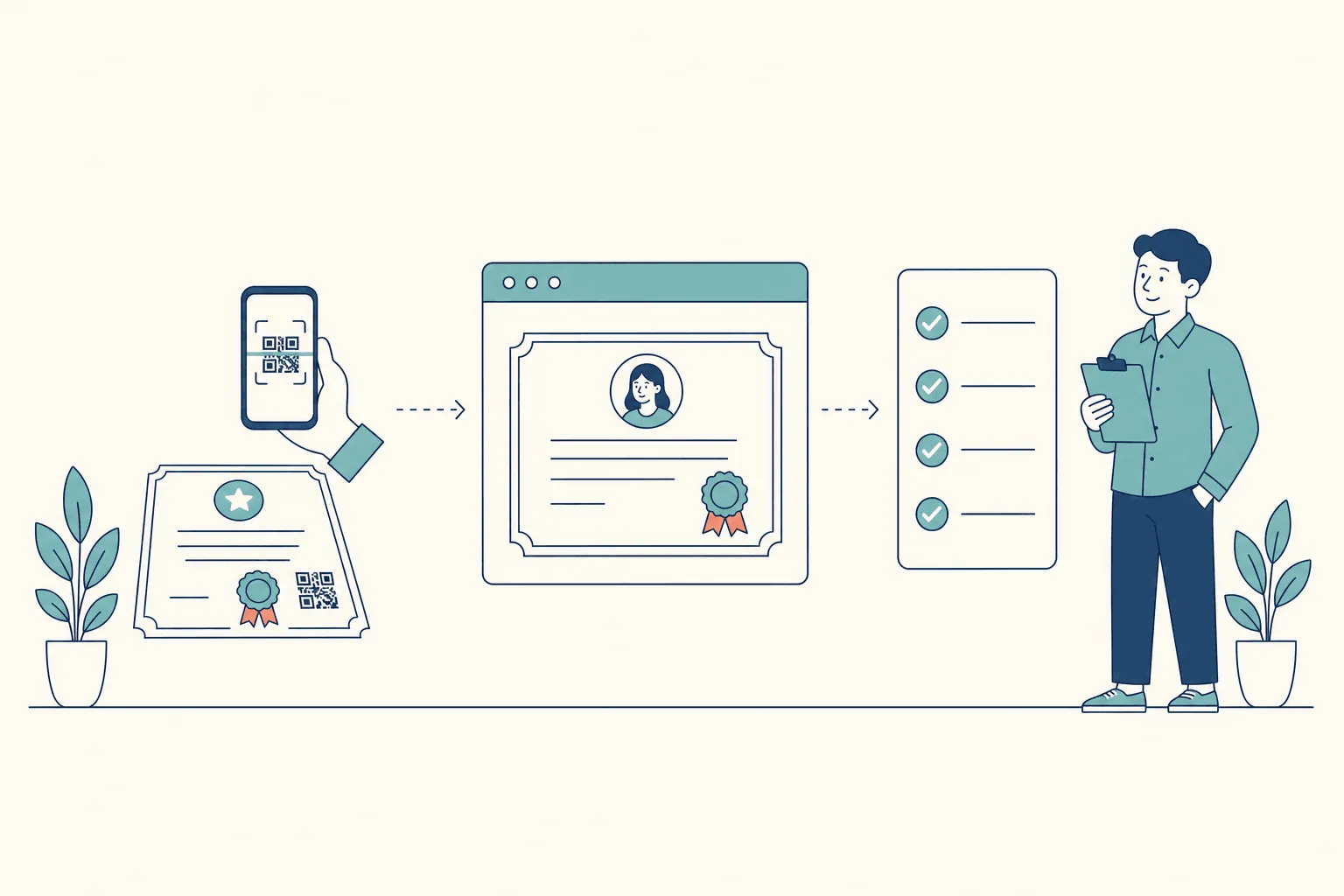
- Open the issuer’s record. Scan the QR code or open the verification link, and look at the address before you trust the page. A convincing copy can reproduce an issuer’s branding on a different domain. Don’t treat the PDF itself as the current record. Dynamic QR codes explains how a printed code connects to a live page.
- Compare the details. Read the recipient, issuer, program, date, and certificate ID from the issuer’s page, not from the attachment. Any difference between the two needs an explanation.
- Check the proof, if there is one. Some certificates are digitally signed and can be checked with verification software. A signature image on a PDF isn’t a cryptographic signature. If no proof is offered, record that rather than marking the check as passed.
- Apply your issuer policy. Decide whether this issuer is acceptable for what’s being claimed. A provider you accept for attendance certificates isn’t automatically acceptable for a regulated qualification.
- Check the dates. Compare any expiry date with today. An issue date isn’t an expiry date, and a certificate with no expiry should be recorded as such, not given an invented one.
- Read the current status. If the page says the certificate was revoked, stop treating it as current evidence. Don’t let a saved screenshot override what the issuer’s page says today.
- Match the person. Compare the name and any identifier with your application records. A common name alone may not settle identity.
Most hiring teams skip at least one of these. The HireRight 2025 Global Benchmark Report, a survey of more than 1,000 HR, risk, and talent acquisition professionals, found that nearly half (47%) of respondents in Europe, the Middle East, and Africa had found issues with candidates’ education credentials, and one in six respondents said their business had already experienced identity fraud during hiring.
Keep a verification record
Store the result with the decision, so a later review doesn’t depend on anyone’s memory:
- Checked at: date, time, and time zone.
- Certificate: ID and the verification address you used.
- Results: source, integrity, issuer trust, dates, status, and recipient match, each recorded separately.
- Decision: accepted, rejected, or pending, with the reviewer’s name and the reason.
How signatures and hashes prove a certificate is authentic
A wax seal on a letter does two narrow jobs. An intact seal shows the letter came from whoever owns the seal, and that nobody opened it on the way. It says nothing about whether the letter is accurate. A digital signature does the same two jobs with mathematics instead of wax, and it has the same limit: proof of authenticity isn’t proof of truth.
For signed certificates, three operations turn data into checkable proof:
- Canonicalization puts the certificate data into one standard form, so harmless differences in ordering or spacing don’t produce a different result.
- Hashing compresses that data into a short fingerprint called a digest. Change one letter of the name and the digest changes completely.
- Signing encrypts the digest with the issuer’s private key. A verifier recomputes the digest and checks it against the signature using the issuer’s public key. If they match, the data hasn’t changed since signing.
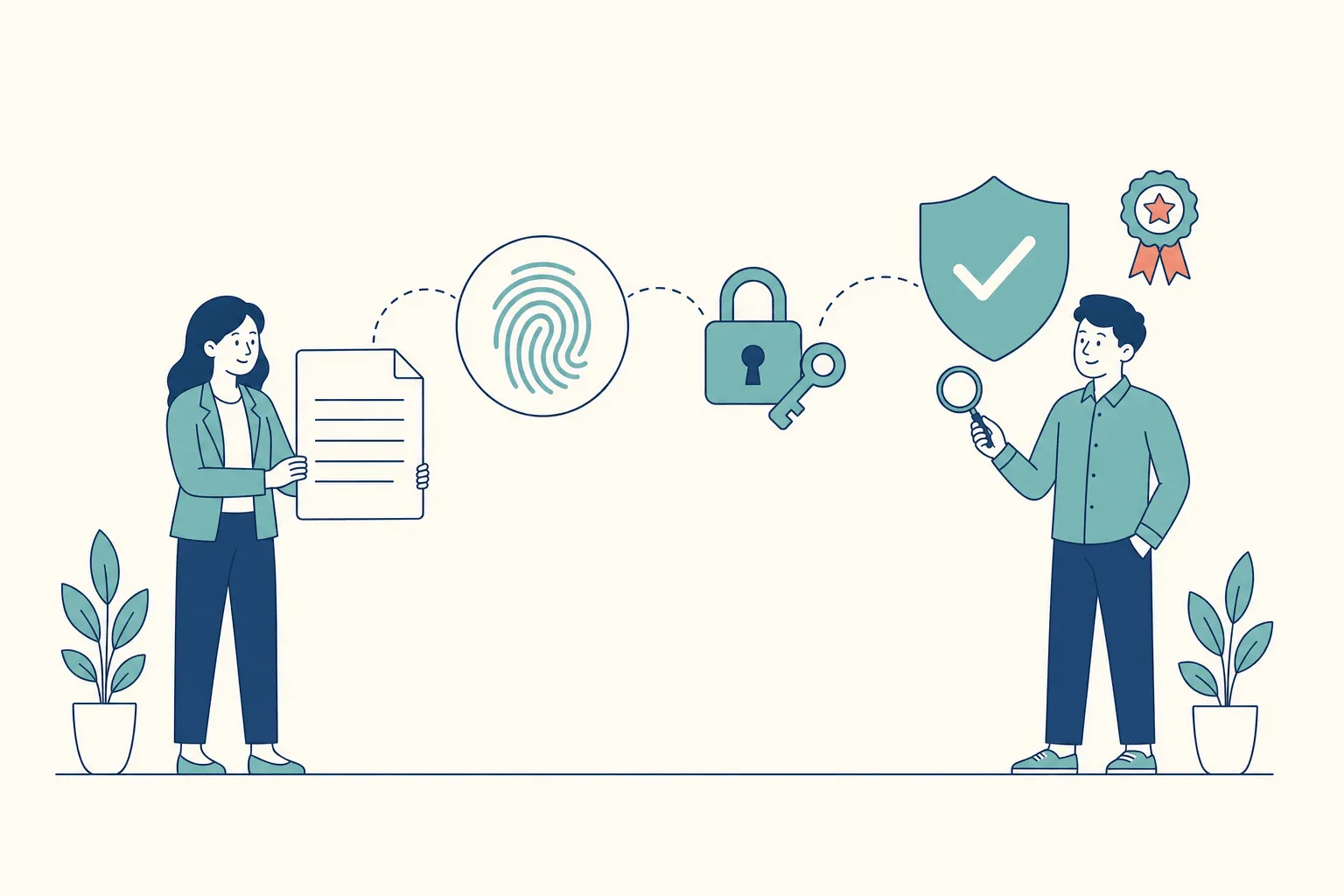
That’s the model used by the W3C’s Verifiable Credentials Data Model 2.0 with Data Integrity proofs, both W3C Recommendations since May 2025. The specification is careful about what a pass means. It defines verification as checking that a credential conforms to the specification, that its securing mechanism is satisfied, and, if present, that its status check succeeds, and adds that “verification of a credential does not imply evaluation of the truth of claims encoded in the credential.”
Two things follow:
- A signature can protect a mistake. If the issuer misspells a name before signing, the signature still verifies perfectly. That’s an issuing error, and checking the signature again will never reveal it. Only a corrected certificate fixes it.
- A signature identifies a key, not an organization. Connecting the key to a real issuer is a separate question, answered by trust lists, certificate chains, or the issuer’s own published keys.
Certificates verified through a hosted record
Many course and training certificates aren’t signed at all. Instead, the certificate carries a link and QR code to a page on the issuer’s platform, and that page is the authoritative record. Integrity comes from comparing the document with the record: if someone edits the PDF, the page still shows the original. Status comes from the page too, because the issuer updates it when a certificate is corrected or revoked.
This is how CertSeal certificates work. The QR code and link open the certificate’s page, which shows the recipient’s name, the program and issuer, the certificate ID, and the certificate itself. If the issuer revokes it, the page shows that the certificate was revoked and when, instead of the certificate. The trust question becomes simpler, too: is this page really on the issuer’s platform, and is the issuer one you accept?
Chain validation for X.509 certificates
Website certificates, signed PDFs, and many document-signing systems use X.509 certificates, and they add a step: checking one signature isn’t enough. The verifier builds a certification path from the presented certificate, through any intermediate authorities, up to a root it already trusts.
Under RFC 5280, path validation checks that each signature verifies, that each certificate’s validity period includes the current time, and that, at the current time, the certificate isn’t revoked. It also requires each intermediate authority to be marked as a certificate authority in its basic constraints. A mathematically correct signature from a certificate that wasn’t allowed to issue certificates doesn’t complete the path.
The roles matter too. RFC 3647 separates the certificate authority, which signs and issues, from the registration authority, which checks identity on its behalf, and from the relying party, the “recipient of a certificate who acts in reliance on that certificate.” When you verify a certificate, you’re the relying party.
| Standard | What it covers | Check it supports |
|---|---|---|
| X.509 and RFC 5280 | Certificate structure and path to a trusted root | Chain validation |
| CRL | Published list of revoked certificates | Status, possibly stale |
| OCSP | Live status query for one certificate | Status, needs a network |
| W3C Verifiable Credentials 2.0 | Credential structure and claims | Format conformance |
| W3C Data Integrity | Hashing and signing credential content | Proof verification |
| W3C Bitstring Status List | Published revocation status for credentials | Status for verifiable credentials |
| EU Trusted Lists (ETSI TS 119 612) | Which trust service providers are qualified | Issuer trust |
These layers aren’t interchangeable, and most academic and training certificates don’t use an X.509 chain at all. Use the procedure that matches the certificate’s actual format.
Lifetimes are part of the same picture. Shorter-lived certificates limit how long a compromised key or stale identity can do damage. When Mozilla reduced maximum TLS certificate lifetimes from 825 days to 398 days in 2020, it noted that “keys valid for longer than one year have greater exposure to compromise.” That’s a website-certificate rule, though, not a guide to how long a training certificate should last.
Revocation status and what each result means
Status is the check people most often skip, because a certificate that verified last year feels settled. It isn’t. Here’s what each status should mean to a reviewer:
| Status | What it means | What to do |
|---|---|---|
| Valid | The record is current and unrevoked | Accept, if issuer trust and recipient match also pass |
| Expired | The validity period has ended | Accept as a past achievement if appropriate, flag it as lapsed |
| Revoked | The issuer withdrew the certificate | Reject it as current evidence |
| Replaced | A corrected certificate supersedes this one | Ask the holder for the current certificate |
| Unable to determine | The status couldn’t be retrieved | Mark as unconfirmed and recheck, never as valid |
Expired doesn’t mean fraudulent. A lapsed safety certificate may still document past training. It just shouldn’t satisfy a requirement for current certification. Revoked is different: the issuer has said the certificate shouldn’t be relied on.
Unable to determine means the check is unfinished, not that the certificate is probably fine. If you have an earlier result, record it with its date and label it as historical.
An unavailable status service is an availability problem. Calling the certificate valid anyway turns it into an assurance problem.
How status is published
For X.509 certificates, there are two classic mechanisms. A certificate revocation list (CRL) publishes the identifiers of revoked certificates, and the verifier downloads the whole list. The Online Certificate Status Protocol (OCSP) asks the issuer about one certificate at a time.
The trade-off is freshness against privacy. A list can be out of date. A live query is current, but it tells the issuer which certificate is being checked. Let’s Encrypt cited exactly that when it announced it was ending OCSP support: a certificate authority answering OCSP requests “immediately becomes aware of which website is being visited.”
Verifiable credentials use the W3C Bitstring Status List, which publishes the status of many credentials in one compressed list, so checking one doesn’t reveal which one you checked. Hosted-record certificates, like CertSeal’s, show status on the certificate’s own page.
Offline checks and results that can’t be completed
A candidate hands you a printed certificate in an interview room with no signal. You can read it, but you can’t retrieve its current status just because a QR code is printed on it. The paper carries the route to verification, not a permanently current answer.
| Method | Needs a connection | Shows current status | Best use |
|---|---|---|---|
| QR code or link to the live record | Yes | Yes | Hiring and admissions decisions |
| Signature embedded in a file | Not for the signature check | No, until status is checked | Confirming a file is unaltered |
| Saved copy with a timestamp | No | Only as of when it was saved | Audit records |
| Image of a certificate | No | No | Display only, not evidence |
Report partial results honestly
When a check can’t finish, say so precisely:
- Unknown issuer: “proof valid, issuer not recognized.” Don’t call it forged just because it isn’t on your list.
- Rotated signing key: an issuer’s current key may not be the one that signed an older certificate. Check the issuer’s key history before rejecting.
- Unreachable status service: “status unconfirmed,” with any earlier result and its date. Don’t turn a network error into a pass.
A failed integrity check is a different category from all of these. If the document doesn’t match the issuer’s record, or the signature doesn’t verify, don’t record it as “authentic, status pending.”
For hiring and admissions, prefer the live record and treat offline checks as partial evidence that needs confirming. Decide your exception policy before an outage, not during one. Pausing a high-stakes decision until the checks finish is the safe default. Proceeding provisionally can be a reasonable business decision, but it isn’t a successful verification.
For developers: return a structured result
If you’re building verification into an applicant tracking or admissions system, don’t return a single boolean. Return each check separately, so the system can tell a rejected certificate from an unfinished check:
| Result field | What to store |
|---|---|
source, integrity | pass, fail, or not supported |
issuer | identity and your trust decision |
validity | current, expired, not yet valid, or no expiry |
status, statusCheckedAt | the status result and when it was retrieved |
recipientMatch | match, mismatch, or not checked |
outcome | accept, reject, pending, or manual review |
Decide the precedence rules before deployment. A revoked status or a failed integrity check should override everything else, and a valid proof with an unknown status should never collapse into a pass. CertSeal also sends webhooks when certificates are issued, sent, or viewed, if you want your own systems to keep a record alongside the issuer’s.
For issuers: make your certificates easy to verify
Everything above depends on what the issuer set up before the first certificate went out. If you issue certificates, decide these before launch:
- A stable verification address for every certificate, and who keeps it running.
- A visible certificate ID on the certificate and the verification page.
- A QR code on the printed or PDF version, placed where printing won’t clip it.
- A status policy: who can revoke, when, and what the verification page shows afterward.
- A correction process that fixes the record without breaking the link the recipient already shared.
Then test the recipient’s path. Issue a small test batch, print one certificate, scan it with a phone on another network, and ask someone outside your team to verify it with no instructions. If you use an open credential format, don’t assume every verifier can read it. GS1’s technical landscape of verifiable credentials notes that “many ‘flavours’ of VC-based solutions exist that are not necessarily interoperable,” and that revocation mechanisms “vary widely.”
CertSeal handles the issuer side of this for course, training, and event certificates. Every certificate gets its own page, a QR code, and a certificate ID. Corrections re-render the certificate at the same link, and revoking a certificate makes its page show that it was revoked and when. For a deeper look at how platforms compare on verification, see 10 credential verification services, compared.
Frequently asked questions
How do I verify a digital certificate?
Scan the QR code or open the verification link on the certificate, confirm the page is on the issuer’s real domain, and compare the recipient, program, date, and certificate ID with the copy you were given. Then check whether it’s expired or revoked, and match the name against your own records.
What does a digital signature on a certificate prove?
It proves the signed data hasn’t changed since the holder of a particular private key signed it. It doesn’t prove the issuer is legitimate, that the certificate is still valid, or that the claims in it are true. Those need the issuer, status, and recipient checks.
What’s the difference between an expired and a revoked certificate?
An expired certificate reached the end of its validity period. It may still document a past achievement. A revoked certificate was withdrawn by the issuer, usually because it was issued in error or the holder no longer qualifies, and shouldn’t be relied on.
Can I verify a certificate offline?
Partly. You can check a digital signature offline if you have the issuer’s public key, and you can read a printed certificate. You can’t confirm current status without connecting to the issuer’s record. Treat offline checks as partial and confirm before a high-stakes decision.
How do CRL and OCSP differ?
A CRL is a published list of revoked certificates that the verifier downloads. OCSP asks the issuer about a single certificate in real time. CRLs can be out of date, while OCSP needs a connection and tells the issuer which certificate you’re checking.
What should I do if a verification page can’t be reached?
Record the status as unconfirmed, note when you tried, and try again later or contact the issuer directly. Don’t mark the certificate as valid because the check failed to run.
The short version
Verifying a certificate means answering separate questions: did it come from the issuer, has it changed, is the issuer acceptable, is it in date, is it still valid, and does it belong to this person? Open the issuer’s record rather than trusting the file, record each result separately, and never turn an unfinished check into a pass.
If you issue certificates, make all of that easy: a stable link, a QR code, a visible ID, corrections that keep the link, and revocation that shows up on the page.
CertSeal helps training providers, associations, event organizers, and L&D teams issue certificates that anyone can verify from a link or a printed QR code, with corrections and revocation after the fact. Try the free certificate generator, see how QR code certificates work, or compare plans on the pricing page.
Start free with CertSeal: 100 verifiable certificates a year, no credit card.
Related reading
- 10 credential verification services, compared: how platforms differ on speed, printouts, and revocation
- Dynamic QR codes for verifiable credentials: how a printed square connects to a live record
- What is a certificate?: types, uses, and how verification builds trust
- Digital certification services: a buyer’s guide: what to test before choosing a platform
- How to design a certificate: placing the QR code and ID so verification survives printing
Keep reading
Certificates
Digital certification services: a buyer's guide
What digital certification services do, the features worth testing in a demo, how verification and revocation should behave, and how to run a pilot.
Certificates
How to run a certificate of recognition program
Design a certificate of recognition program employers trust: award types, written criteria, issuing and revocation, and measures that show it works.