Certificate template
Navy and Gold Seal Certificate of Ordination
Formal navy and parchment ordination certificate with an open Bible, gold seal and corner fans.
Free to customize. Issue verifiable credentials with a CertSeal account.


About this template
When to reach for it
A formal certificate of ordination: a parchment panel set in a navy linen border tooled with a gold double fillet and corner fleurons, with gold fans in the panel corners and a faint rosette watermark. An open Bible with gilt edges and a red ribbon marker rests in rays of light above "ORDINATION" in gold foil capitals, and a gold seal lettered "Ordained to the Ministry" hangs on navy ribbons between the signatures.
For churches, denominations and ministries ordaining pastors, ministers, elders or deacons. The church prints in the description; the Bible, seal and fans are separate layers.
Wording
What the certificate says
Every line of text on this template, top to bottom. Highlighted parts fill in for each recipient, and you can reword any line in the editor.
- CERTIFICATE OF
- This is to certify that
- Recipient name
- was solemnly ordained to the ministry of the Gospel at Issued by.
- Date
- DATE OF ORDINATION · PRESIDING MINISTER
Typography
Fonts used in this template
Swap, mix, or replace any of these in the editor — every CertSeal template ships with 1,000+ Google Fonts plus your own brand uploads.
-
Font family
Cardo
Cardo
-
Font family
Cinzel
Cinzel
-
Font family
Cormorant Garamond
Cormorant Garamond
Color palette
Colors used in this template
The five most prominent colors sampled straight from the rendered design. Recolor any of them in the editor to match your brand.
-
#fbf4e6
-
#28395a
-
#e7d9b9
-
#666b75
-
#000a29
How to use it
From template to issued credential in four steps
- 01
Open the template
Click "Use this template" to open the Navy and Gold Seal Certificate of Ordination in the CertSeal editor, or customize it free without signing up.
- 02
Fill in the details
- Recipient name
- Issued by
- Date
Type these in, or upload a spreadsheet to make one for every recipient.
- 03
Add your brand
Swap the Cardo, Cinzel and Cormorant Garamond fonts and the colors, and add your logo.
- 04
Issue & verify
Generate PDFs and verifiable links your recipients can share anywhere.
More templates
You might also like
-
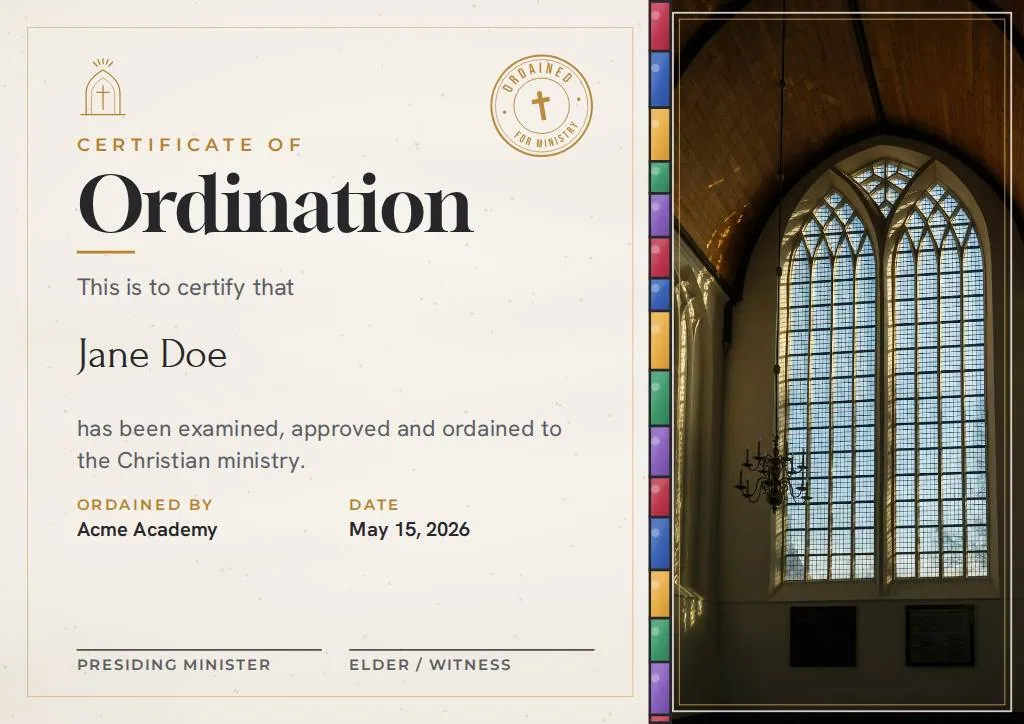
Stained Glass Arches Modern Ministry Ordination Certificate
Modern ministry ordination certificate with a church window photo, a stained-glass strip and amber accents.
-

Slate and Green Compliance Training Certificate
Verifiable training certificate with a credential panel: QR code, certificate ID, issue and expiry dates.
-

Orange and Charcoal Safety Training Certificate
High-visibility safety training certificate with a hazard-stripe header, ID, expiry date and QR code.
-

Navy Guilloche Professional Certification
Security-paper style credential with a guilloche watermark, seal, ID, expiry date and QR code.
-

Medical CPD Attendance Certificate
Clinical blue continuing-education certificate with a stethoscope, heartbeat line, QR code and certificate ID.
-

Teal Lamp Nursing and Health Sciences Diploma
Clean teal nursing diploma with an oil lamp in a laurel, a heartbeat rule, a stethoscope, a heart and a teal seal.
-

Therapy Dog Team Dog Training Certificate
Soft blue watercolour certificate with a calm chocolate labrador in a heart vest, hearts and leafy branches.
-

Professional Dog Trainer Certification Certificate
Slate and teal certification for human dog trainers, with whistle, clicker and leash icons, ID, expiry and QR code.
Issue your first credential today
Open this template in the CertSeal editor, customize in minutes, and send verifiable certificates your recipients can share anywhere.