Certificate template
Manual Handling Safety Training Certificate
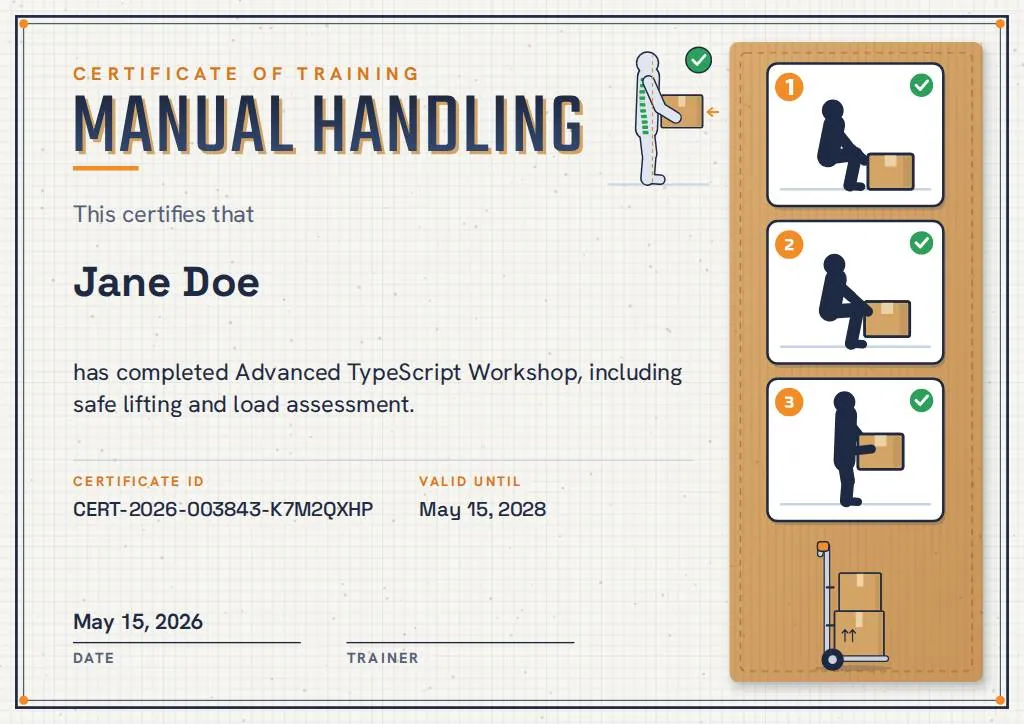
Graph-paper manual handling certificate with numbered lifting steps, a posture diagram, cartons and a hand truck.
Free to customize. Issue verifiable credentials with a CertSeal account.

About this template
When to reach for it
A practical, technical-manual certificate for manual handling, safe lifting and ergonomics training. Three numbered step cards show the bend, grip and lift technique, a posture diagram traces an upright spine with the load held close, and a hand truck stacked with cartons stands on a corrugated kraft panel, all on graph paper with a navy drafting frame.
A condensed "Manual Handling" headline leads a left-aligned text column, with the certificate ID, the "Valid until" date, the date and the trainer’s signature underneath. Every illustration is its own layer.
Wording
What the certificate says
Every line of text on this template, top to bottom. Highlighted parts fill in for each recipient, and you can reword any line in the editor.
- CERTIFICATE OF TRAINING
- This certifies that
- Recipient name
- has completed Course or achievement, including safe lifting and load assessment.
- CERTIFICATE ID · VALID UNTIL
- Certificate ID · Expiry date
- Date
- DATE · TRAINER
Typography
Fonts used in this template
Swap, mix, or replace any of these in the editor — every CertSeal template ships with 1,000+ Google Fonts plus your own brand uploads.
-
Font family
Hanken Grotesk
Hanken Grotesk
-
Font family
Space Grotesk
Space Grotesk
Color palette
Colors used in this template
The five most prominent colors sampled straight from the rendered design. Recolor any of them in the editor to match your brand.
-
#f3f2ee
-
#c3c4c6
-
#ca975c
-
#bdaa97
-
#878b96
How to use it
From template to issued credential in four steps
- 01
Open the template
Click "Use this template" to open the Manual Handling Safety Training Certificate in the CertSeal editor, or customize it free without signing up.
- 02
Fill in the details
- Recipient name
- Course or achievement
- Expiry date
- Date
Type these in, or upload a spreadsheet to make one for every recipient.
- 03
Add your brand
Swap the Hanken Grotesk and Space Grotesk fonts and the colors, and add your logo.
- 04
Issue & verify
Generate PDFs and verifiable links your recipients can share anywhere. Each certificate is printed with its own ID. It also shows when the certificate expires.
More templates
You might also like
-

Slate and Green Compliance Training Certificate
Verifiable training certificate with a credential panel: QR code, certificate ID, issue and expiry dates.
-

Orange and Charcoal Safety Training Certificate
High-visibility safety training certificate with a hazard-stripe header, ID, expiry date and QR code.
-

Heartbeat First Aid Training Certificate
Crimson and white first aid certificate with a heart-pulse medallion, ECG grid and a verification band.
-

Fire Warden Safety Training Certificate
Charcoal fire warden certificate with a glowing extinguisher, an exit sign, an alarm bell and a flame badge.
-

Fresh Kitchen Food Safety Training Certificate
Fresh green food hygiene certificate with a subway-tile kitchen panel, hand washing, a probe thermometer and a cutting board.
-

Forklift Operator Training Certificate
Industrial yellow forklift certificate with warehouse racking, a loaded forklift, pallets and a black credential plate.
-

Working at Heights Safety Training Certificate
Blue-sky working at heights certificate framed by scaffold towers, a harness, a hard hat and a rope.
-

Infection Control Hygiene Training Certificate
Fresh aqua infection control certificate with soap bubbles, a pump bottle, gloves, a face mask and a bar of soap.
Issue your first credential today
Open this template in the CertSeal editor, customize in minutes, and send verifiable certificates your recipients can share anywhere.