Certificate template
Cobalt Lanyard Pass Corporate Graduate Trainee Programme Graduation Certificate
Warm white page, a cobalt corner disc and a marigold lanyard pass that carries the QR code.
Free to customize. Issue verifiable credentials with a CertSeal account.


About this template
When to reach for it
A crisp, modern graduation certificate for corporate graduate schemes, trainee and rotational programmes: a warm white page with a cobalt disc and fine rings, from which a marigold lanyard hangs a white "Graduate Pass". The verification QR code sits on the pass itself.
"Graduation" is set large in Bricolage Grotesque over the intake and cohort line, the programme name stands out in cobalt above the company, and a cobalt programme seal, two tossed mortarboards and a set of rising steps with a flag finish it. Every ornament is its own layer.
Wording
What the certificate says
Every line of text on this template, top to bottom. Highlighted parts fill in for each recipient, and you can reword any line in the editor.
- GRADUATE TRAINEE PROGRAMME
- Graduation
- 2024–2026 Intake · Cohort 7
- This certifies that
- Recipient name
- has graduated from the
- Course or achievement
- at Issued by
- Date
- PROGRAMME DIRECTOR · CEO
- Certificate ID Certificate ID
Typography
Fonts used in this template
Swap, mix, or replace any of these in the editor — every CertSeal template ships with 1,000+ Google Fonts plus your own brand uploads.
-
Font family
Bricolage Grotesque
Bricolage Grotesque
-
Font family
Figtree
Figtree
Color palette
Colors used in this template
The five most prominent colors sampled straight from the rendered design. Recolor any of them in the editor to match your brand.
-
#f8f7f3
-
#1d3596
-
#d8d8da
-
#878b99
-
#b4b5bc
How to use it
From template to issued credential in four steps
- 01
Open the template
Click "Use this template" to open the Cobalt Lanyard Pass Corporate Graduate Trainee Programme Graduation Certificate in the CertSeal editor, or customize it free without signing up.
- 02
Fill in the details
- Recipient name
- Course or achievement
- Issued by
- Date
Type these in, or upload a spreadsheet to make one for every recipient.
- 03
Add your brand
Swap the Bricolage Grotesque and Figtree fonts and the colors, and add your logo.
- 04
Issue & verify
Generate PDFs and verifiable links your recipients can share anywhere. The QR code on this design opens each certificate's verification page. Each certificate is printed with its own ID.
More templates
You might also like
-

Soft Blue Lily Nursing Pinning Ceremony Certificate
Soft blue pinning ceremony certificate with a lamp pin on a ribbon and white lilies.
-

Forest Green Summit Leadership Programme Graduation Certificate
Forest green leadership graduation certificate with a summit flag and a brass compass.
-

Steel Blue Blueprint Apprenticeship Graduation Certificate
Blueprint apprenticeship graduation certificate with a gear badge and crossed tools.
-

Warm Paper Notebook Teacher Training Graduation Certificate
Warm teacher training graduation certificate with an isometric notebook, pencil and books.
-

Dusk Lantern Mentorship Programme Graduation Certificate
Dusk mentorship graduation certificate with two hands passing a glowing lantern.
-

Sunrise and Butterfly Life Skills Programme Graduation Certificate
Hopeful life skills graduation certificate with a sunrise over hills and butterflies.
-

Crimson and Navy Star Shield Sales Academy Graduation Certificate
Crimson and navy academy graduation certificate with a star shield crest and ribbon.
-
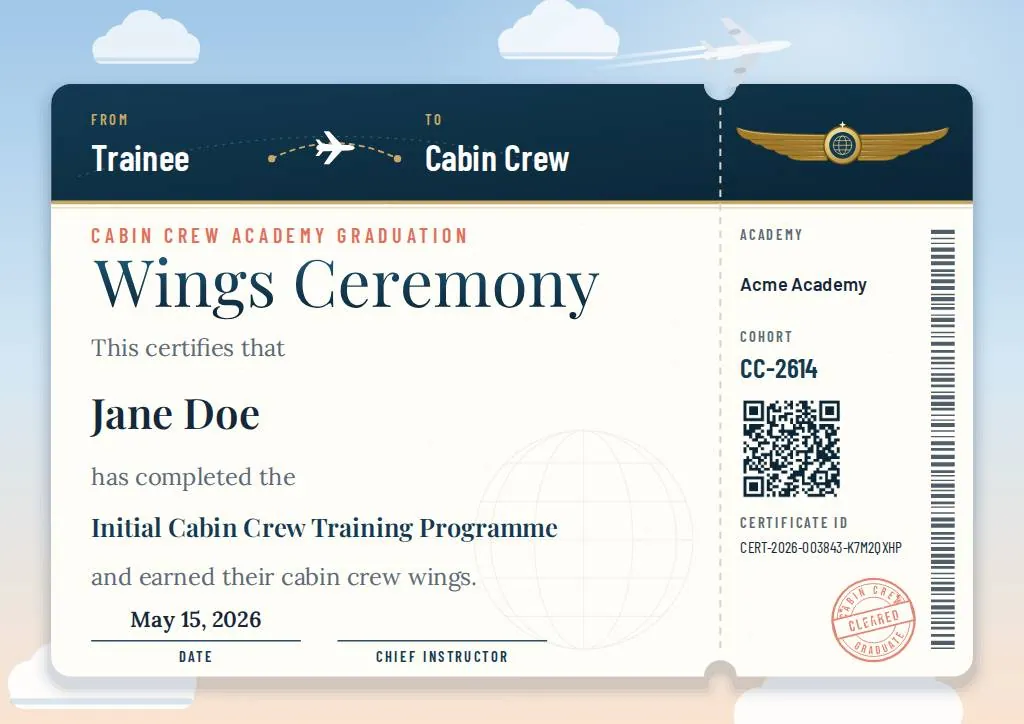
Boarding Pass Cabin Crew Academy Wings Ceremony Graduation Certificate
A boarding pass on a dawn sky: Trainee to Cabin Crew, gold wings and a tear-off stub with a QR.
Issue your first credential today
Open this template in the CertSeal editor, customize in minutes, and send verifiable certificates your recipients can share anywhere.