12 free training certificate templates for 2026
Browse 12 free training certificate templates for corporate learning, workshops, safety programs, and kids' courses—then customize and issue them online.
Lina Park
Head of Design, CertSeal

A good training certificate does more than confirm attendance. It tells a manager, auditor, or future employer what the recipient learned, who issued the credential, and whether the record can be trusted.
That matters at scale. The OECD reports that around 40% of adults across OECD countries participate in learning each year, with most training taking place at work and during working hours. Every one of those programs needs a clear way to record the outcome.
Below are 12 free training certificate templates from the CertSeal template library. Each design is available in landscape and portrait, can be edited online, and can be issued as a verifiable digital certificate with a unique link and QR code.
How to choose a training certificate template
Start with the setting—not your favorite color. The design should make sense to the recipient and anyone likely to verify it later.
- Corporate and leadership training: choose clean typography, restrained colors, and room for your logo.
- Safety or compliance training: prioritize dates, instructor details, credential IDs, and verification.
- Workshops and seminars: use an approachable design that still prints cleanly.
- Schools and children’s programs: brighter illustrations can make the credential feel like a reward.
- Formal professional development: traditional borders, seals, and signatures reinforce the occasion.

The design is only the starting point. Before issuing, add the exact training title, recipient name, completion date, issuer, trainer or signatory, and a verification method. For regulated training, confirm the required fields with your legal or compliance team.
12 editable training certificate templates
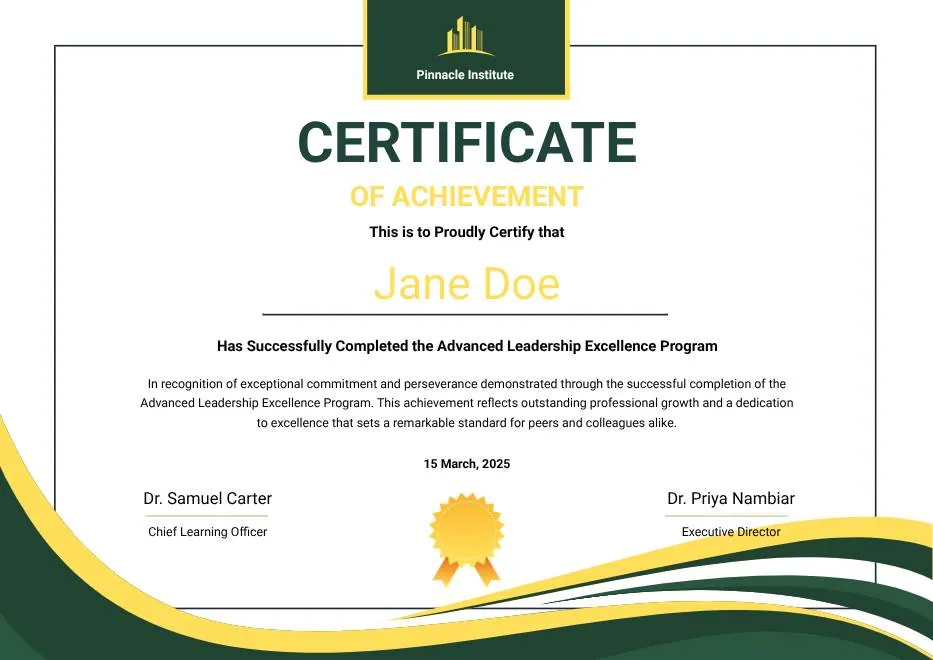
1. Green and Gold Modern Leadership Achievement Certificate
Best for: Leadership academies, management development, mentoring programs, and executive education.
Deep green and gold give this template an established, professional tone. The centered composition makes the recipient’s name the focal point, while the medal and signature areas create enough formality for a multi-week leadership program.
Customize it: Replace generic completion language with the program level, cohort, and competencies covered. Add two signatories when both an instructor and an executive sponsor approve the award.
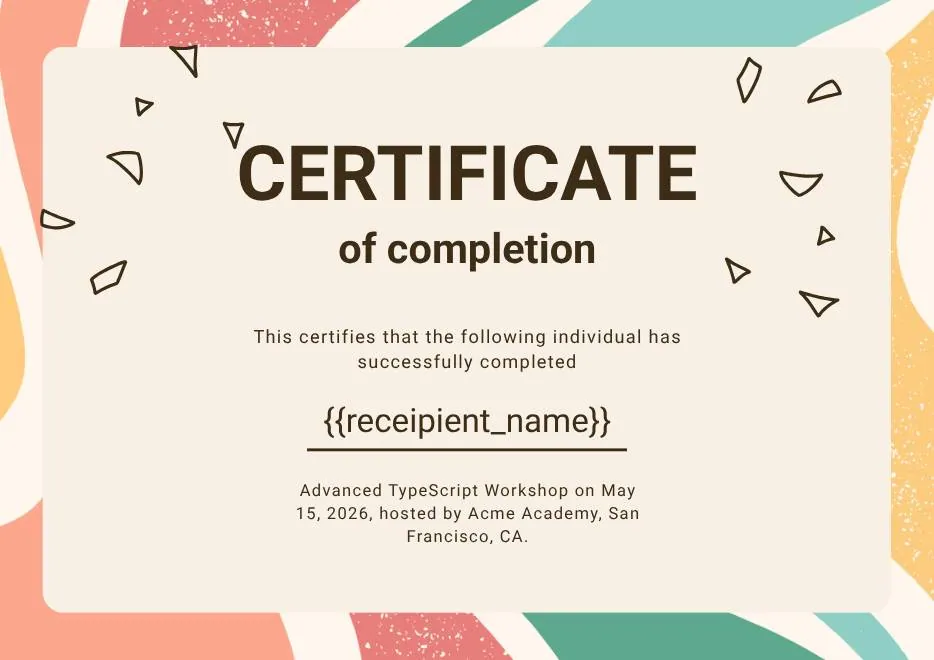
2. Certificate of Completion in Colorful Abstract Modern Style
Best for: Creative bootcamps, design workshops, marketing courses, and modern online academies.
Coral, teal, and gold shapes add energy without crowding the certificate body. It works especially well when the training brand is informal but the credential still needs a clear, polished hierarchy.
Customize it: Keep the central text short. Use the course title, duration, and completion date on the certificate, then place detailed outcomes on the hosted credential page.

3. Classic Floral Border Certificate of Achievement
Best for: Academic training, continuing education, teacher development, and formal workshops.
The floral corner treatment and serif typography feel traditional, making this a strong choice for institutions whose credentials may be printed or framed. The muted background also leaves room for a school or association logo.
Customize it: Match the border accent to your brand color and include learning hours or continuing-education units only when your program is authorized to award them.

4. Red and Gold Achievement Certificate
Best for: Advanced training, top-performer recognition, sales academies, and high-visibility cohort awards.
Crimson and gold communicate distinction. Use this design when the certificate recognizes more than attendance—for example, passing an assessment, finishing with honors, or demonstrating a defined skill.
Customize it: State the achievement standard in the body copy. If everyone who attends receives the same credential, choose a completion-focused design instead.

5. Beige Classic Certificate of Achievement
Best for: Professional associations, instructor-led seminars, hospitality training, and customer education.
The cream background, teal border, and gold accents create a formal certificate without the visual weight of a dark palette. It is flexible enough for both one-day workshops and longer training programs.
Customize it: Add the workshop date and location, plus an instructor signature. For hybrid programs, replace the location with the delivery format or cohort name.
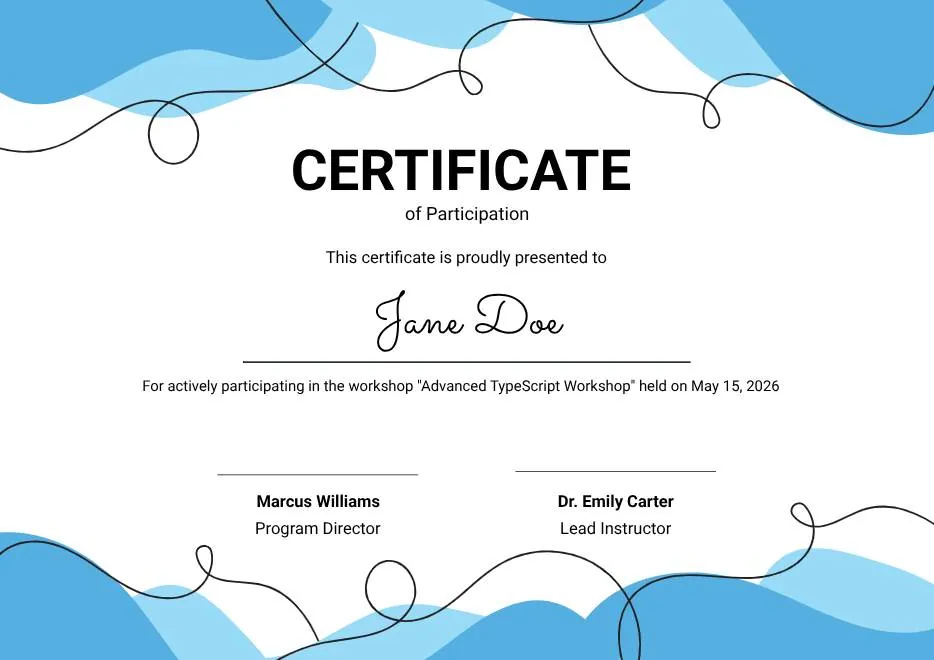
6. Blue Abstract Waves Participation Certificate
Best for: Skills workshops, onboarding sessions, webinars, and collaborative team training.
Flowing blue shapes and playful line details make this template feel accessible. It suits training where participation matters but no formal assessment or pass standard applies.
Customize it: Use accurate wording such as “participated in” or “attended” rather than “certified in.” That distinction prevents the certificate from overstating what the recipient demonstrated.
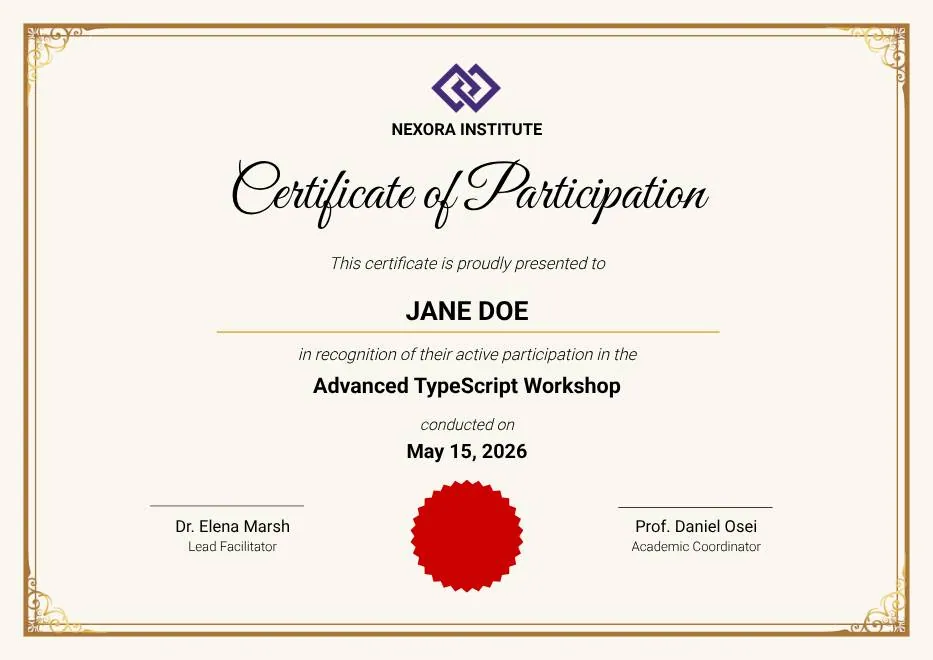
7. Gold Elegant Workshop Participation Certificate
Best for: Industry seminars, professional workshops, conferences, and facilitator-led masterclasses.
This template pairs an ornate gold border with a red seal and dual signature lines. It feels ceremonial while keeping the recipient and workshop details easy to scan.
Customize it: Include the workshop title, date, duration, and facilitator name. If the event includes several tracks, add the completed track as a dynamic field.
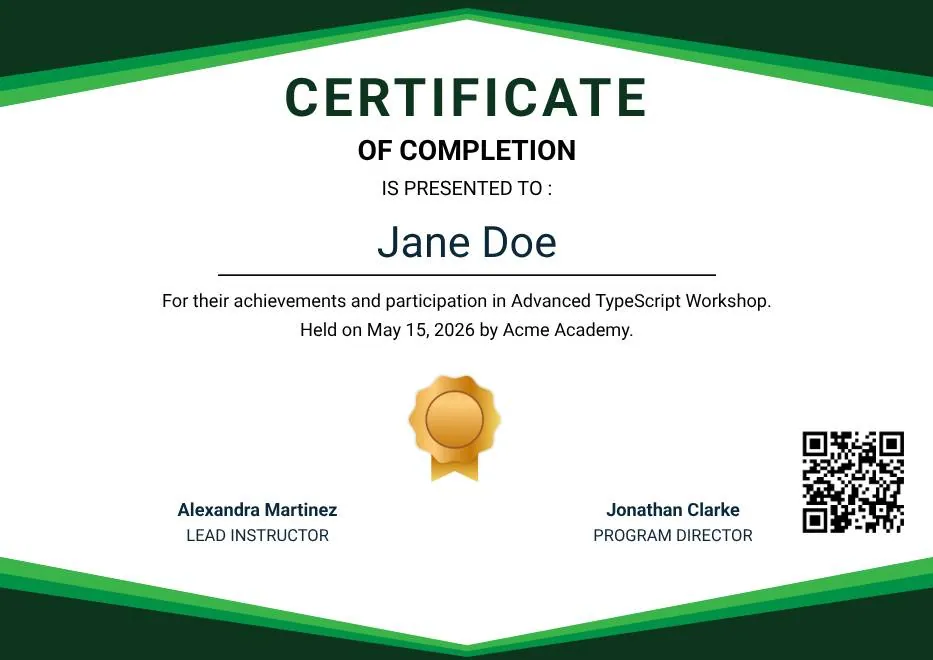
8. Green Modern Event Completion Certificate
Best for: Corporate L&D, sustainability training, operational onboarding, and recurring internal courses.
The green-and-white geometric layout is clean, contemporary, and easy to align with a company brand kit. Dual signatures and a clear verification area make it practical for structured programs.
Customize it: Add the department, course version, and completion date. These details make internal training records easier to reconcile when course content changes.
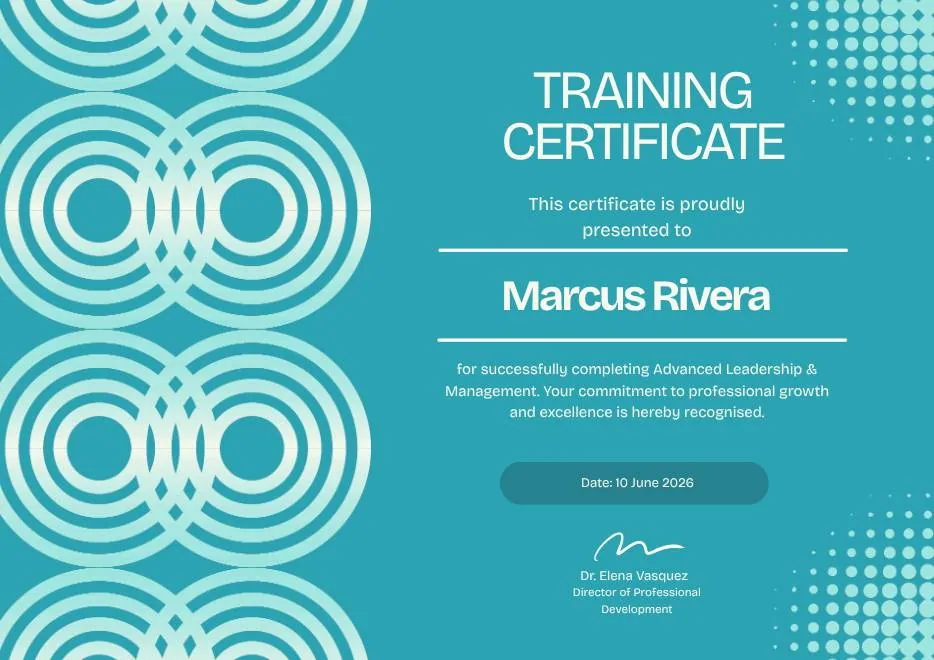
9. Blue Tosca Geometric Training Certificate
Best for: Cybersecurity awareness, software enablement, technical onboarding, and digital-skills training.
Bold teal geometry and halftone accents give this design a distinctly technical look. The high-contrast layout remains readable on screen, which is useful for credentials recipients will share online.
Customize it: Include the platform, module, or skill level in the title. Add an expiration date when the knowledge must be refreshed on a fixed schedule.
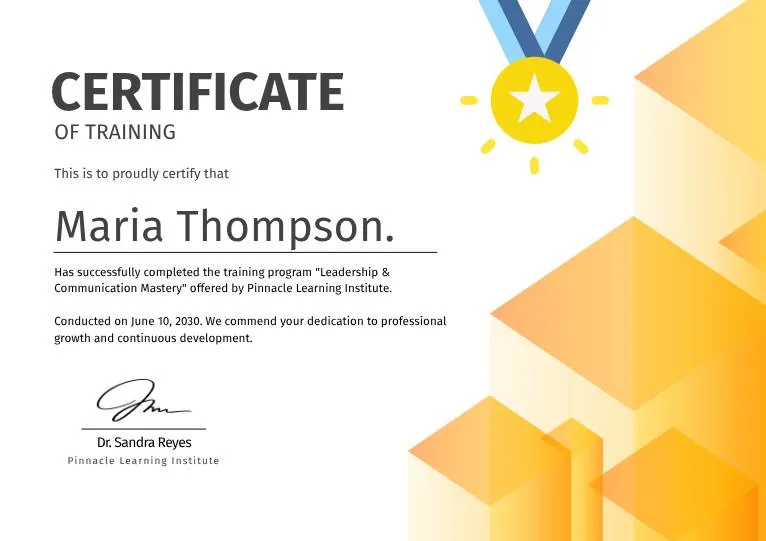
10. White and Yellow Modern Leadership Training Certificate
Best for: Emerging-leader programs, coaching cohorts, people-manager training, and internal academies.
Warm yellow accents make this certificate optimistic and modern, while the medal motif preserves a sense of achievement. It is a lighter alternative to traditional navy-and-gold leadership credentials.
Customize it: Name the leadership pathway and cohort, not just “Leadership Training.” Specific titles are more useful on a résumé or LinkedIn profile.
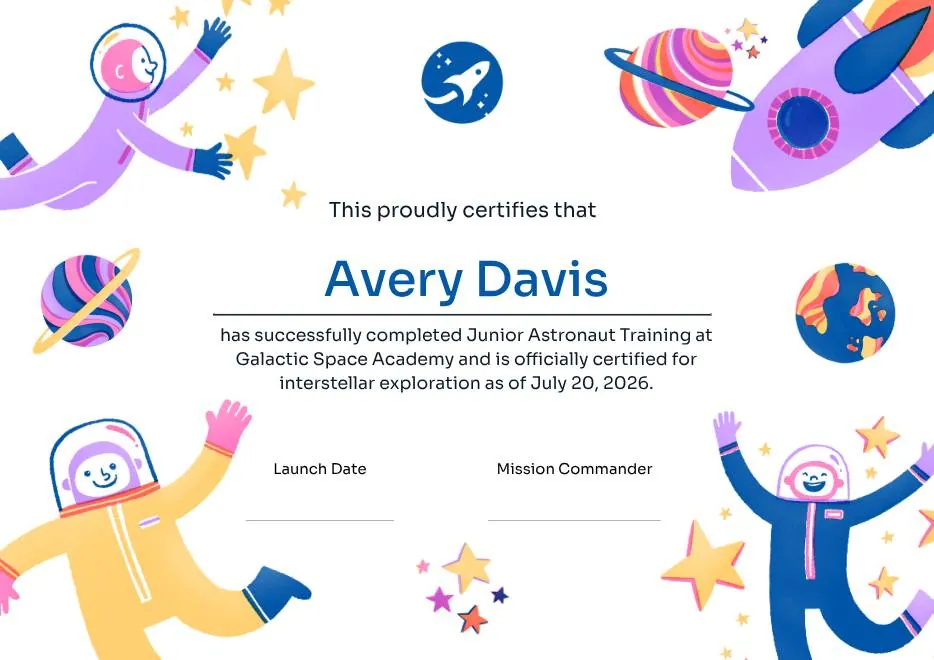
11. Junior Astronaut Training Certificate in Colorful Playful Style
Best for: STEM camps, museum education, after-school clubs, and children’s training programs.
Astronauts, rockets, planets, and bright colors turn completion into a celebration. The playful theme works best when the certificate itself is part of the learner’s reward.
Customize it: Use the learner’s preferred name in large type and add one concrete accomplishment, such as completing a model-rocket challenge or a space-science module.
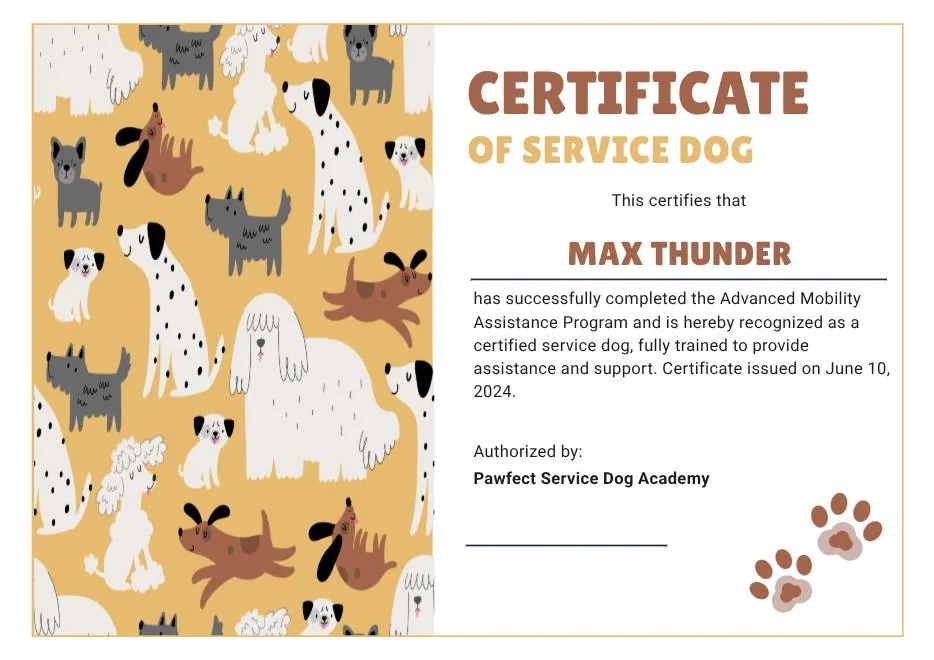
12. Tan White and Black Illustrated Service Dog Certificate
Best for: Animal-care workshops, service-dog handler education, volunteer training, and community programs.
Warm illustrated details make this niche design memorable without losing the structure of a professional certificate. It is a useful example of choosing imagery that reflects the subject of the training.
Customize it: Be precise about whether the credential confirms attendance, handler education, or an evaluated competency. Do not use certificate wording that implies a legal designation your program cannot grant.
Found a fit? Open the training certificate template collection to compare orientations, then customize your chosen design in the CertSeal certificate maker.
What to include on a training certificate
Every training certificate should answer six questions without requiring an email to the issuer:
- Who completed the training? Use the recipient’s full display name.
- What did they complete? Give the program a specific, recognizable title.
- Who provided it? Include the issuing organization’s name and logo.
- When did it happen? Show the completion or issue date—and an expiry date where appropriate.
- Who authorized it? Add the trainer, evaluator, or program owner.
- How can someone verify it? Provide a credential ID, QR code, and human-readable verification URL.
Compliance requirements vary by program. For example, OSHA’s powered industrial truck rule requires employers to certify that each operator was trained and evaluated. The record must include the operator’s name, training date, evaluation date, and the identity of the trainer or evaluator; performance must be evaluated at least once every three years under 29 CFR 1910.178(l).
That does not make every attractive template an OSHA-compliant record by default. The issuing organization remains responsible for the training, evaluation, wording, and recordkeeping. Use the template as a presentation layer for accurate program data—not as a substitute for the underlying process.
Customize and issue certificates in four steps

1. Apply your brand
Upload your logo, select one or two brand colors, and use readable fonts. Keep strong contrast around the recipient name, program title, and verification details. If the certificate will be printed, test it in grayscale before approving the design.
2. Map dynamic fields
Replace manual text with fields such as recipient name, course, completion date, cohort, score, or credential ID. A reusable design prevents spelling and copy-paste errors when a cohort has hundreds of learners.
3. Import recipients
For a small cohort, add recipients directly. For larger groups, use the bulk certificate generator to upload a spreadsheet once and create a personalized credential for each row. Repeated programs can connect an LMS or workflow through CertSeal integrations.
4. Deliver a verifiable credential
Send each recipient a hosted certificate rather than only a static attachment. A verification page can show the issuer, award details, and current status, while the certificate remains downloadable for printing. For the full operational workflow, follow our guide to issuing digital certificates in 2026.
Training certificate wording examples
Use language that matches what the program actually proves.
Completion
This certifies that [Recipient Name] successfully completed [Training Program] on [Date], comprising [Hours] hours of instruction.
Assessed competency
Awarded to [Recipient Name] for completing [Training Program] and meeting the assessment requirements established by [Issuing Organization] on [Date].
Participation
Presented to [Recipient Name] in recognition of active participation in [Workshop or Seminar], held on [Date].
If the program rewards finishing rather than assessed performance, see our certificate of completion guide. If only top performers qualify, an achievement certificate is more accurate.
Frequently asked questions
What is a training certificate?
A training certificate is a record issued after a learner attends, completes, or passes a defined training program. Its wording should state which of those outcomes applies. A certificate is strongest when it includes issuer details, dates, a unique ID, and a verification link.
Are these training certificate templates free?
Yes. You can start with any template in the CertSeal library, customize its content and branding online, and preview it in portrait or landscape. Account and issuance limits depend on the current plan, so check CertSeal pricing before sending a large cohort.
Can I print a training certificate?
Yes. Choose the orientation first, keep important elements away from the edges, and export at print quality. Print a test copy to check color, margins, signatures, and QR-code scanning before producing a full batch.
Can I issue certificates to an entire training cohort?
Yes. Prepare one row per recipient with consistent columns for names, course titles, dates, and any optional fields. The bulk generator maps that data to one design and creates personalized certificates without editing each file manually.
How do recipients or employers verify a certificate?
Each digital credential should link to a public verification page that identifies the issuer, recipient, award, issue date, and current status. A QR code makes that page easy to open from a printed copy. Learn how verification fits into the end-to-end process in our digital certificate issuance guide.
Should training credentials be certificates, badges, or both?
Use a certificate for a formal program-level record and a badge for a compact, shareable representation of a skill or milestone. Longer pathways often use both: badges for modules and a certificate for final completion. Our digital badges vs certificates comparison explains the tradeoffs.
Create your training certificate
The best template is the one that fits the audience, states the learning outcome accurately, and remains easy to verify. Pick one of the 12 designs above, add the fields your program requires, test it with sample recipient data, and then issue the full cohort.
Start free with CertSeal or browse all training certificate templates to create your first design.
Related reading
- How to issue digital certificates in 2026 — design, bulk delivery, verification, and analytics
- How to create a certificate of completion — required fields and copy-ready wording
- 12 certificate of achievement templates — designs for assessed excellence and standout performance
- Digital badges vs digital certificates — when to use each credential format
Keep reading
Certificates
Completion of course certificates: a practical issuer guide
What a completion of course certificate actually claims, the five fields it needs, static PDF vs verifiable credential, and how to run an issuance process you can still defend two years later.
Certificates
What is a certificate? Types, uses, and how verification works
A certificate is issuer-signed proof of a defined achievement. Here's what it actually claims, how completion, achievement, and competency differ, and why verification decides whether it counts.